
The exeption "User does not have send-as privilege" throws when the caller user don't have the below permission:
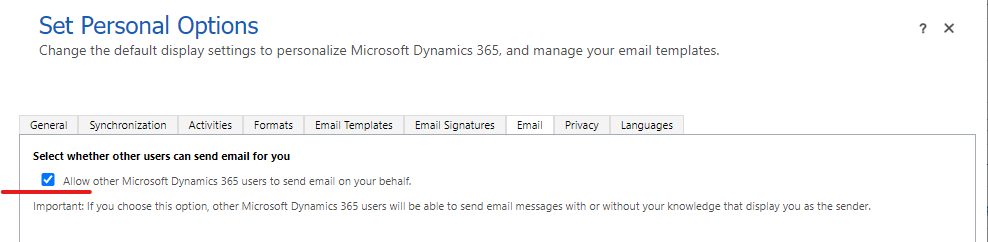
- Allow other Microsoft Dynamics 365 users to send email on your behalf.
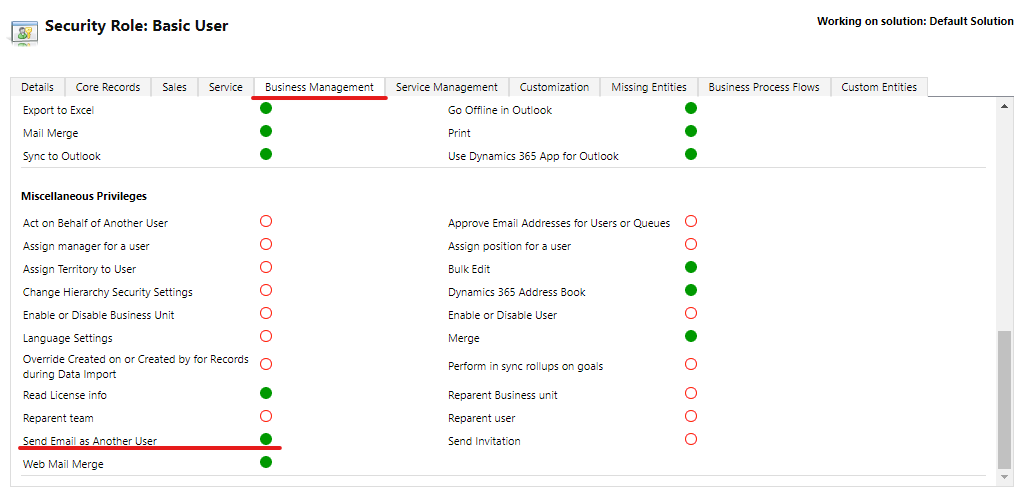
- Role Privilege : Send Email as Another User
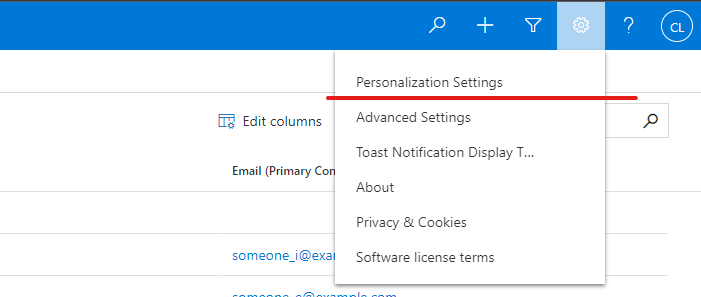
1. Login with the caller user credentials and go to Settings and click on Personalization Settings( if you dont have the credentials of the caller user, login as system administrator in XrmToolbox and do the change using the tool User Setting Utility).
2. The Set Personal Options window is open, select the tab Email and mark the check box named Allow other Microsoft Dynamics 365 users to send email on your behalf.
3. Make sure that the caller user has a role with the Send Email as Another User privilege selected inside the Business Management tab.
New Comment