
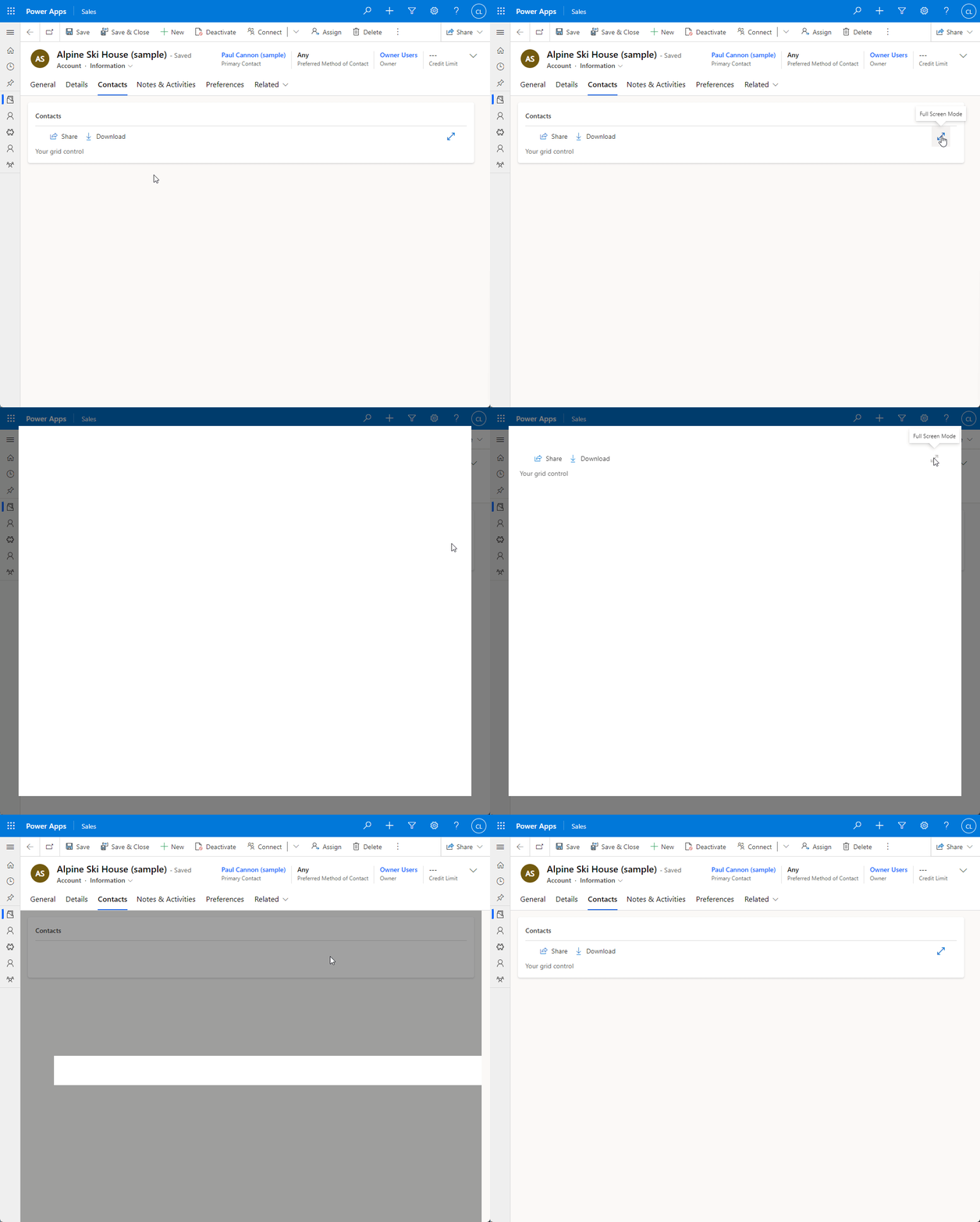
When create a PCF for a dataset template, the control has the possibility to full screen expand, below are the steps to configure the full screen mode.
In order to access the full code example go to the repository pcf-dataset-fullscreen.
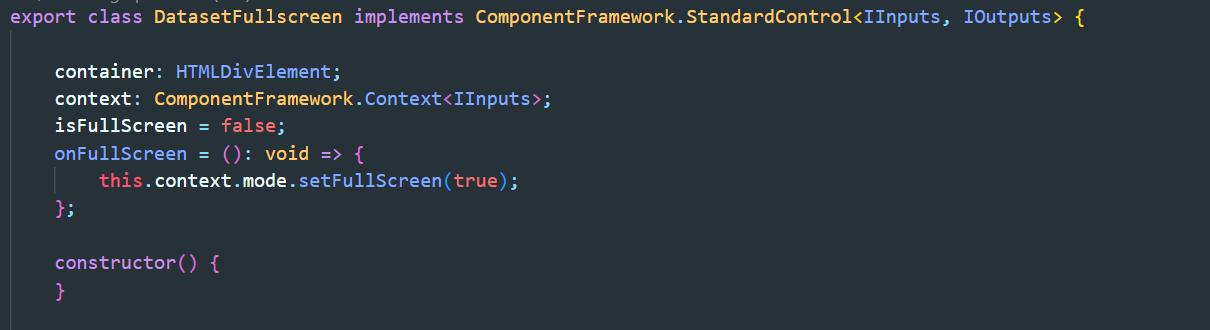
1. Declare Properties
- container: The container of the custom control.
- context: Component framework context
- isFullScreen: Store the status of the fullscreen mode.
- onFullScreen: Set the full screen mode.
2. Initializing the properties declared in the step 1 and set trackContainerResize inside the init method.
- The trackContainerResize is required in order to detect the changes on fullscreen mode.

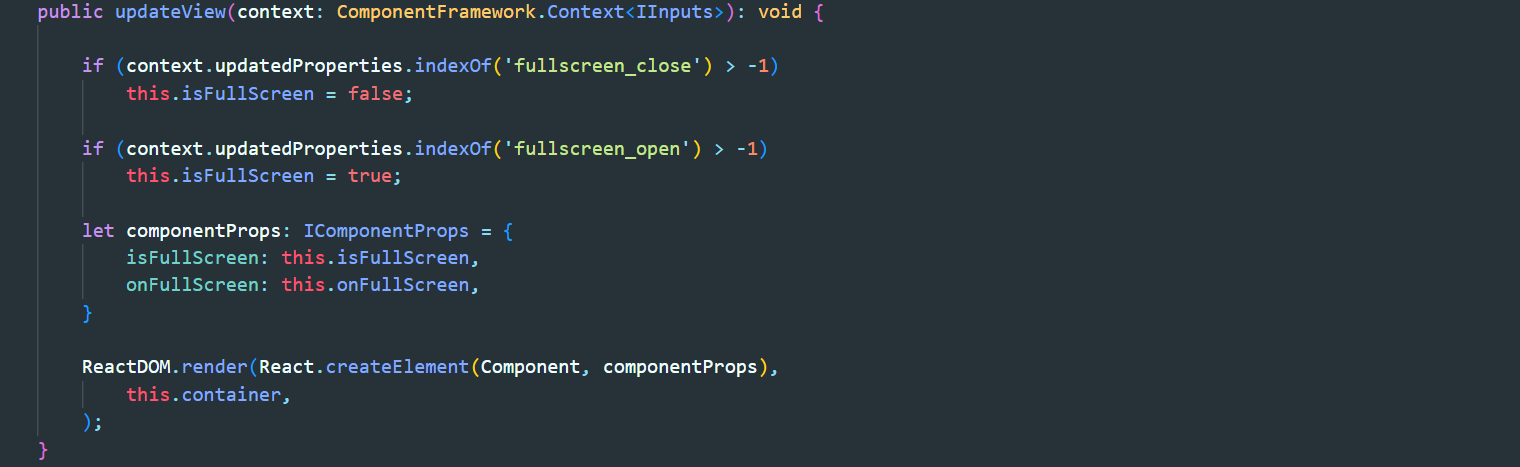
3. Inside the updateView method add the logic to identify if the view is on full screen mode.
- context.updatedProperties: Provides information on what has changed.
- componentProps: Pass the isFullScreen and onFullScreen properties to custom component.
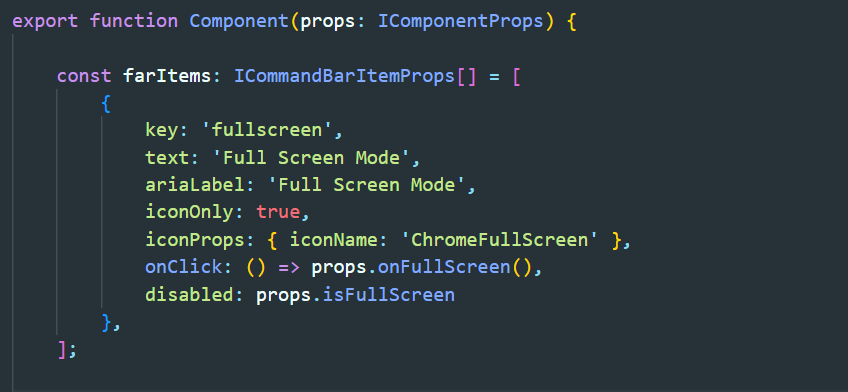
4. Then the custom control can use the properties passed to manage the full-screen mode.
In the example below the button fullscreen use the properties to disable the button and call the fullscreen mode when click on it.
New Comment