
In the below example We will disable a specific column cell based on attribute name.
Steps to register a JS function and disable cells:
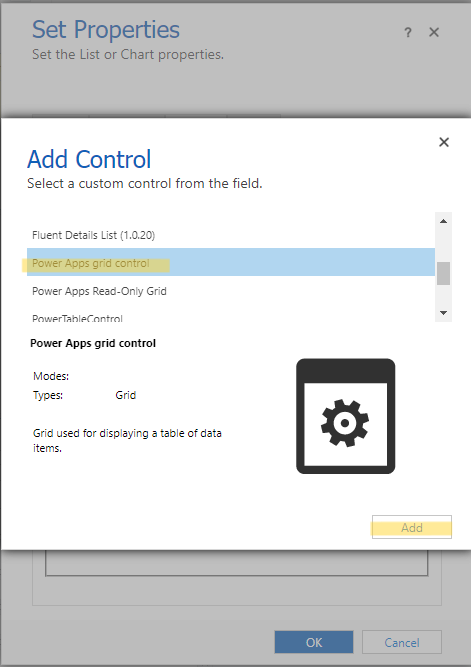
1.Inside the subgrid properties click on Controls tab and then click on Add Control... ,select Power Apps grid control
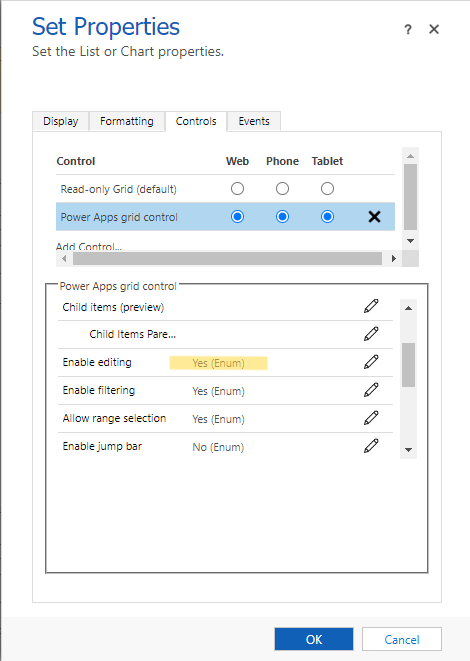
2. Set the Power Apps grid control editable on subgrid Controls tab
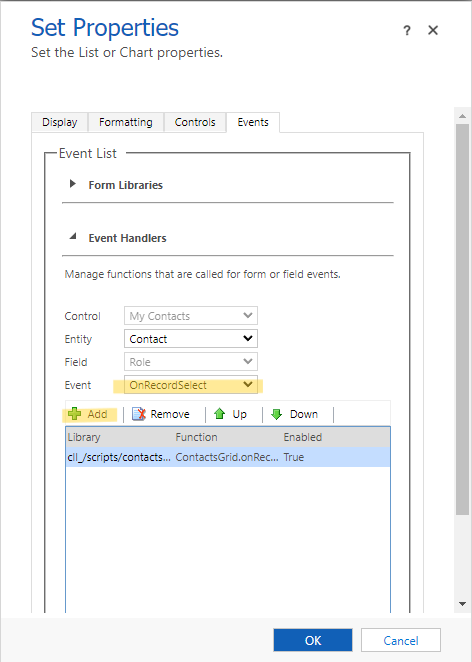
3. Click on Events tab, select the event OnRecordSelect then click on +Add
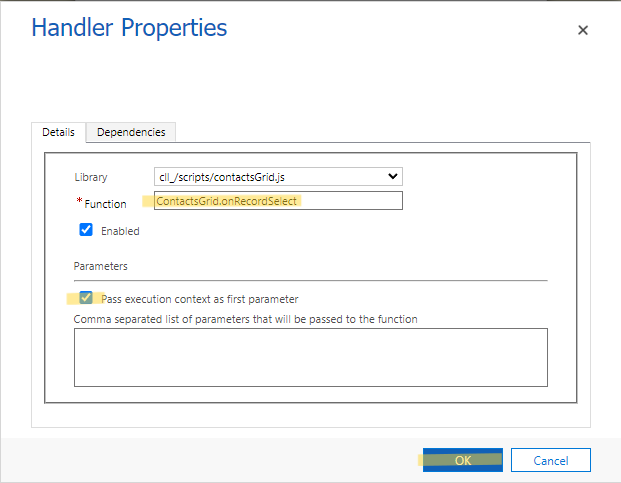
4. Set the name of the functon(ContactsGrid.onRecordSelect), mark the checkbox "Pass execution context as first parameter"
5. Below is the code inside the library "cll_/scripts/contactsGrid.js" , the code disable a cell if the name of the attribute is "emailaddress1".
var ContactsGrid = window.ContactsGrid || {};
(function () {
    this.onRecordSelect = function (context) {
        context.getEventSource().attributes.forEach(function (attr) {
            if (attr.getName() === "emailaddress1") {
                attr.controls.forEach(function (control) {
                    control.setDisabled(true);
                });
            }

        });
    }
}).call(ContactsGrid);
6. Now when the user try to edit the value of email the cell is disabled
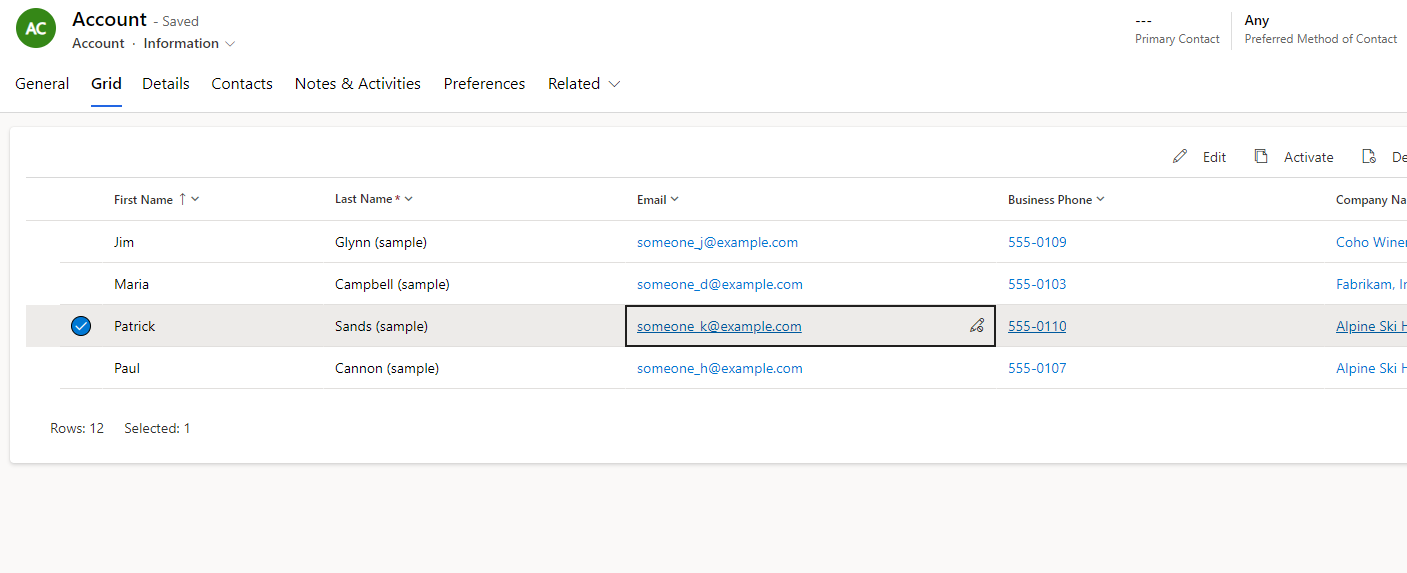
Disabling cells using JavaScript WebResource works for both Editable Grid and Power Apps Grid.
New Comment